ShoSoft AIMay 2026 to now9 min read
Putting AI to work inside venue software, and making it look the part
As Founding AI PM at ShoSoft I own the AI roadmap and onboarding, rebuilt the 2.0 interface on a private copy of the whole stack, and rebuilt the marketing site around the real product.
- Role
- Founding AI PM
- Period
- May 2026 to now
- Team
- COO, CEO, outside engineering firm, marketing agency
- Stack
- React 19, Vite, Tailwind 4, TanStack Query, Next.js, NestJS services, Postgres, NATS, Caddy, Remotion
- AI in the loop
- Claude Code, MCP servers, Playwright agents, DeepSeek and OpenAI in the product
01 · Why
I took the job because the product had no AI in it yet
In April 2026 ShoSoft gave applicants for an AI role a take-home. Find three ways AI could improve ShoSoft 2.0 for small and mid-sized venues, then build one of them. I built an AI event builder and presented it in person to the COO and CEO at the venue where the product was born.
ShoSoft is venue and event management software for independent venues hosting roughly 30 to 300 events a year. It replaces the spreadsheet, shared calendar, email tool and ticketing stack a small team stitches together. When I looked at 2.0, AI was the open space on its roadmap. That was the reason I wanted the role. It meant I could own AI product end to end at a real SaaS company, from the roadmap to the code.
Most of what I have built since high school was for people without a department behind them. Students looking for their first internship, small businesses that needed a site, classmates who wanted somewhere to build. A venue run by a handful of people fits that pattern. They do not need a chatbot bolted on. They need the software to do the setup work for them.
I joined in May with two workstreams, AI product and go-to-market. I wrote the AI roadmap in my first weeks, shipped the first onboarding demos from it, and was promoted to Founding AI PM within the first month. The engineering team is an outside firm, so almost everything I own reaches the product as a working prototype, a documented branch or a live site they can adopt.
AI shouldn't be a separate tool. It should BE the tool.
My product direction for ShoSoft
AI shouldn't be a separate tool. It should BE the tool.
02 · Onboarding
Onboarding that reads what the venue already wrote down
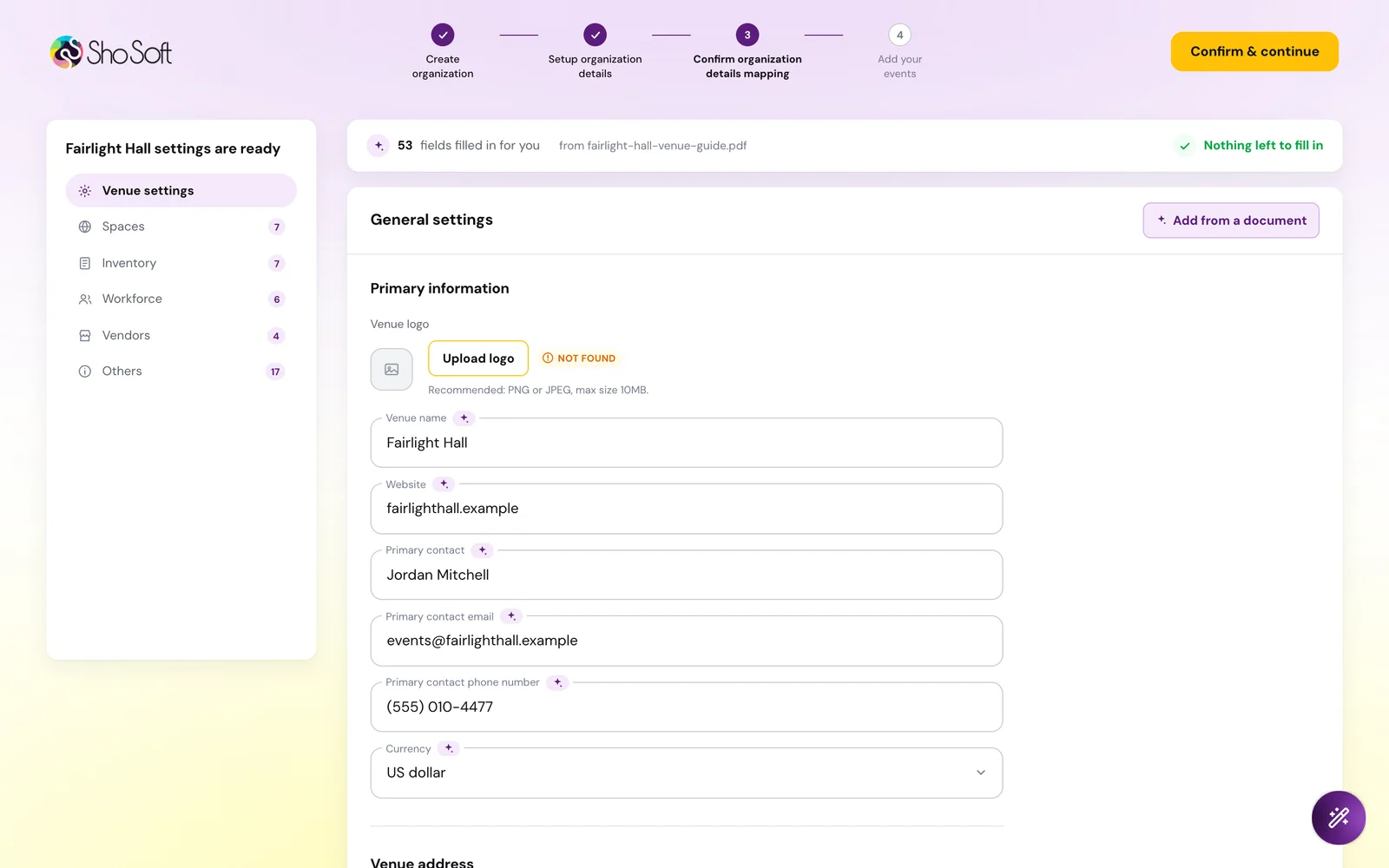
The first bet on my roadmap was onboarding. Every new venue arrives with its rooms, capacities, rates and vendors already written down, on its website or in a venue guide PDF. Asking an operator to retype all of it into forms is the slowest part of starting. So the product should read those sources and fill the profile itself.
The scene on the right is the idea in one loop. A venue guide is read slot by slot, the profile fills, and the operator lands in a working calendar.
I built four versions in Next.js, each one on the last. Every model call runs server-side in API routes, so no key reaches the browser. Extraction uses a forced single function call with a JSON schema at temperature zero, which returns structured fields and no prose. Version four added a second pass that maps those fields onto ShoSoft's own record, venue settings, spaces, inventory, workforce and vendors.
One rule shaped both passes, empty over a guess. If the source does not say it, the field stays blank and gets flagged. If the mapping call fails, a deterministic fallback builds a baseline profile so onboarding never dead-ends.
The wait is part of the design. Instead of a spinner, a discovery board fills card by card as the model finds the venue, the address, the capacity and the spaces. The operator watches their own information arrive, and anything missing, like upcoming events here, is marked as the next thing to add.
The last step is a review, not a finish line. Every value shows where it came from, every cell is editable, and confirming asks the operator to acknowledge they checked what was filled in. Trust comes from being able to see and fix the work.
A prototype only counts when it lands in the product, so I ported the flow into the real React app on its design tokens. The first two ports read the brief as licence to redesign and were rejected, so I set a stricter rule. Port each page string by string, change only tokens and components, and diff against the demo before calling it done. Inside the app the copy never says AI. It just does the work.
I also picked the model per task. On the production port a smaller model read square footage as guest capacity, so discovery runs on a stronger one. The result went to engineering as a handoff repository on top of their current branch. It touches 11 production files, applies in three commands, and ships with docs for integration, backend and verification.
03 · Platform
To redesign the product I rebuilt it on my own server
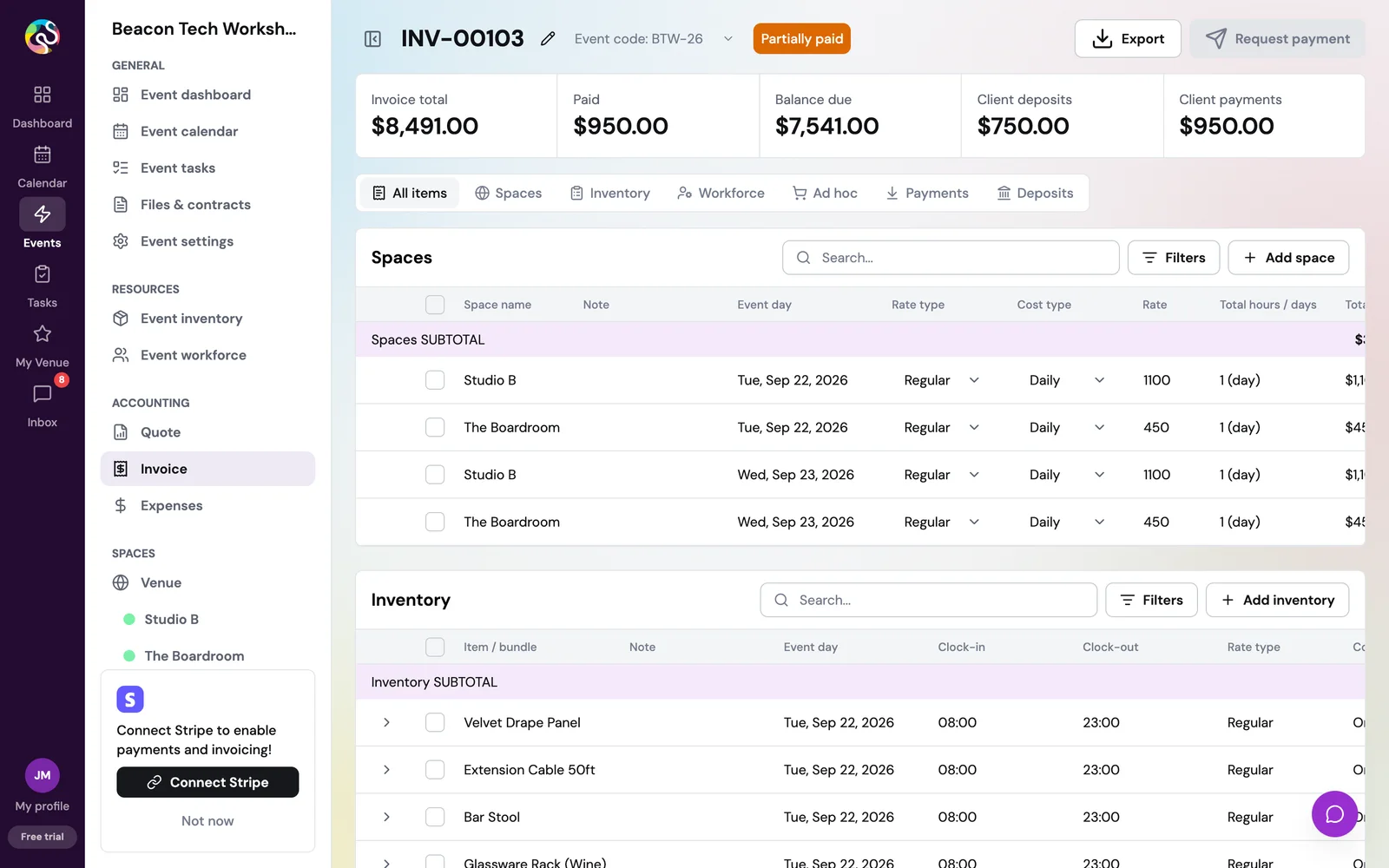
I could not redesign an app I could only see in screenshots, and I was not going to experiment on the company's staging or production. So I replicated ShoSoft 2.0 on a VPS I run. Ten Node services, Postgres and NATS behind Caddy, and a small OpenID issuer I wrote to stand in for Auth0 so the app signs in without a form.
Then I seeded a fictional venue through the real API, 45 events across 22 months with quotes, invoices, tasks, booths and crew. Seeding taught me the data model faster than any document. Quote approvals settle asynchronously, and the revenue chart needs invoice dates spread over real months, so I backdated seeded invoices to sit before each event. The whole book restores itself every 30 minutes, so every review starts from the same venue.
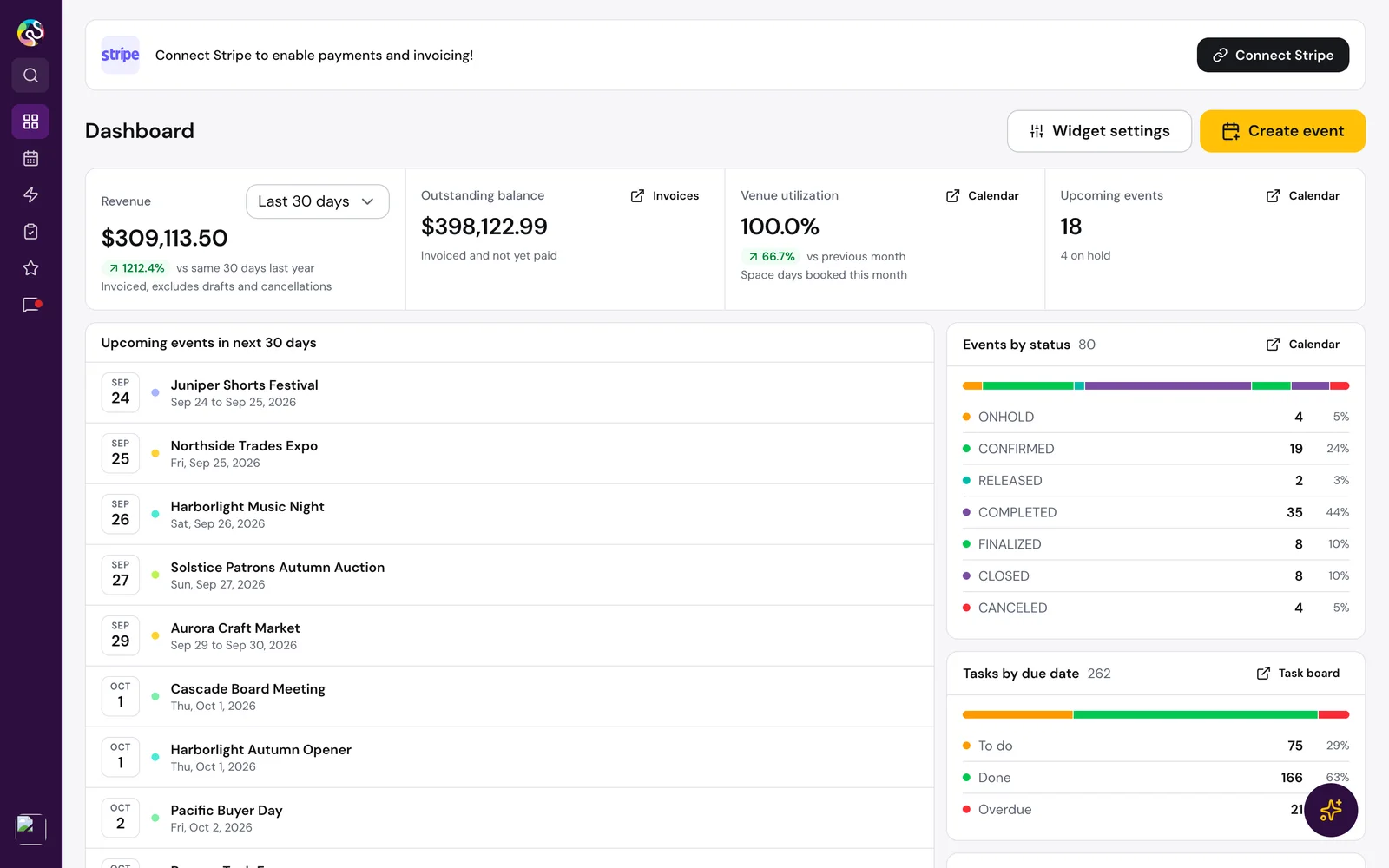
On that copy I ran a deep overhaul. Borders carry elevation instead of shadows, one typeface replaces two, and the dashboard became a single KPI band with a dense upcoming list.
The sidebar was the hardest detail. Width, padding and unmounting labels do not interpolate, so a naive collapse jumps. I changed it to animate width only, gave every row a fixed icon column centred on the final rail, and pinned the labels out of flow. The icons never move. Collapsed, the rail turns brand plum because at that width it stops being a reading surface.
I added Cmd+K search that federates server-side event search with clients, vendors, pages and actions. Results rank by exact, prefix, word-start and subsequence match, with a recency boost. Typing a status like on hold jumps straight to a filtered event list.
The same pass ran a 129-finding accessibility and quality audit. Reduced motion is honoured everywhere, the focus ring moved to brand plum for contrast, drawers gained real titles for screen readers, tables gained skeletons, and routes were code split. I built it all in Claude Code, and Playwright agents walked every route after each change before I called it done.
The numbers from that pass are the ones I still point to.
04 · Old versus new
Eleven passes, one design decision per screen
The overhaul proved a direction. The cleanup made it portable. I scoped it so the engineering team could adopt it in about a day, visual and layout changes only, no behaviour changes, documented file by file with before and after tables.
I ran eleven passes over two days and reviewed every screen after each one. Drag the divider to compare, or pick a screen from the tabs.
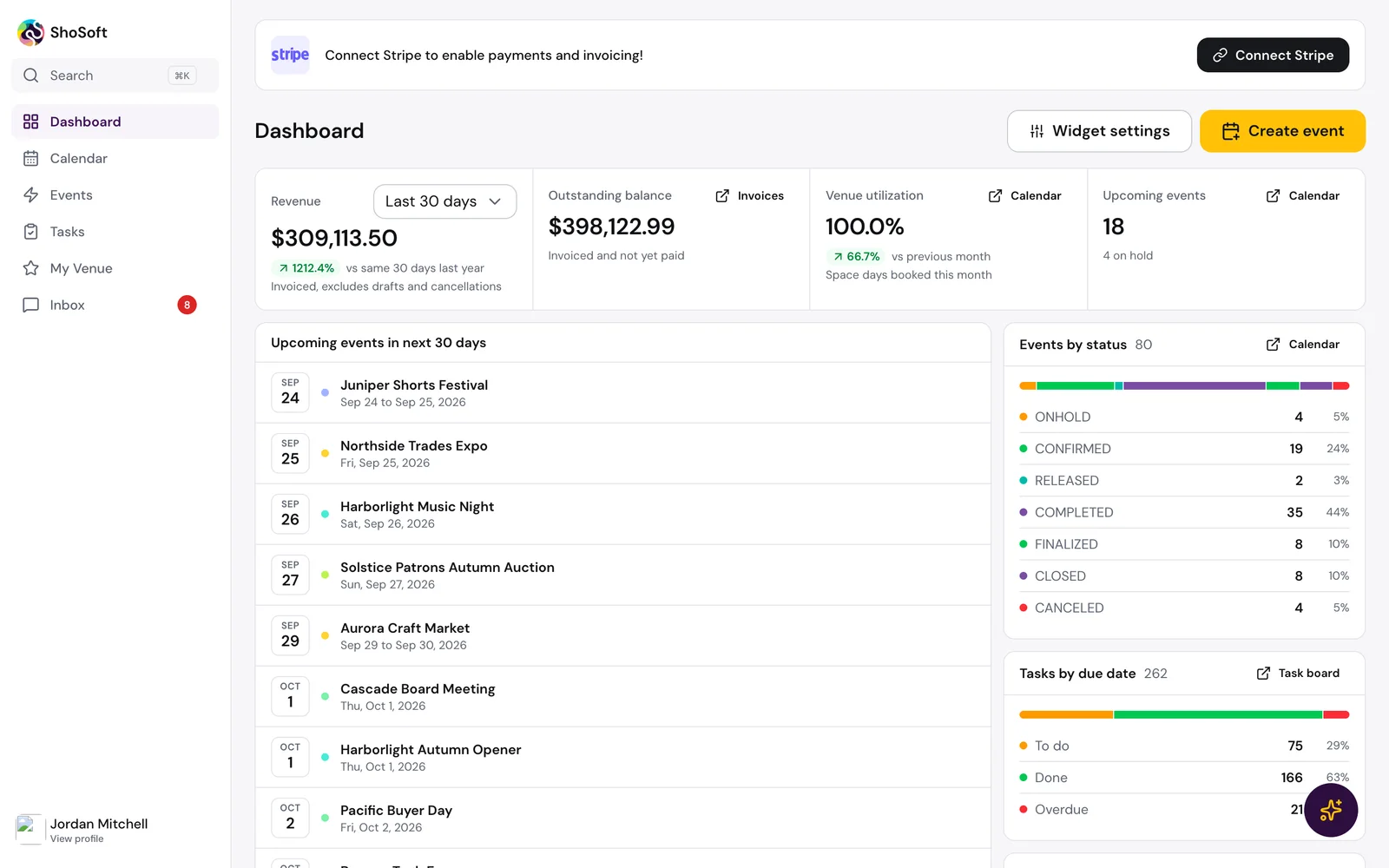
Dashboard. I made surfaces white panels with hairline borders and saved shadows for things that float, menus and dialogs. The four KPIs sit in one band, and the card that counted only events live today became Upcoming events with an on-hold count, a number an operator can plan around. The Stripe prompt became one quiet row with a Not now.
Calendar. The calendar is where operators live, so I changed the least here. It moved onto the same surface language, the toolbar lost weight, and a density toggle lets a busy venue fit more events on screen. Every dropdown on the page now uses one floating-menu recipe with 36 pixel rows and 150 millisecond timing.
Events. Every page now shares one header geometry, so the page title lands in exactly the same place on every route. I measured it on twelve routes with a script rather than trusting my eye. The events grid sits in the same panel and rhythm as everything else.
Tasks. The board fills the page width with quieter column headers, a dot and a count instead of tinted blocks. When you drag a card, the drop target recolours its border rather than adding a ring, so nothing on the board shifts.
Inventory. Tables fit the screen. Each column carries a width in shared table metadata instead of stretching, so a 1024 pixel laptop shows the whole table with no horizontal scroll.
Exhibitor management. The exhibitor pages got the same header, tab and table recipe, and alerts became tinted panels with a hairline instead of floating cards. By the last pass every module read as one product.
Small components carry most of the feel, so I treated them as their own deliverable. The welcome dialog, the KPI band, the status menu and the task card share tokens, radius and a motion scale, so any screen built from them looks designed as one.
The work waited while the product kept moving, and by then it no longer merged cleanly. I rebuilt it on the current staging branch under one rule, upstream wins on behaviour and the cleanup wins on presentation. Where engineering had rebuilt a screen, I ported the new surface onto their code instead of reverting it. The branch builds and type-checks clean and went to review with a transfer guide and a staging checklist.
05 · Marketing site
Selling the product with the product
I set one rule for the marketing site. Every product view is real ShoSoft UI, never a drawn mockup. Visitors should see the thing they are buying.
The August rebuild turned the site into a launch page with a pinned product tour. Its most important fix was invisible. The display font loaded at a different width than its fallback, so headings rewrapped as the page loaded. A size-adjusted fallback face cut cumulative layout shift from 0.37 to 0.017. I also moved every animation onto time-based easing, so the tour runs at the same speed on 60 and 120 hertz displays.
The current direction goes further. Real app pages are serialized, scrubbed to fictional names and embedded as scaled iframes. Each one runs a scripted scene with a cursor that hovers, clicks, scrolls and drags a task card across the board. Hover a product in the menu and its live page previews beside it.
The homepage hero is a pinned sequence where the calendar grows to full width as you scroll, and the Four ways section stacks its panels under a sticky heading.
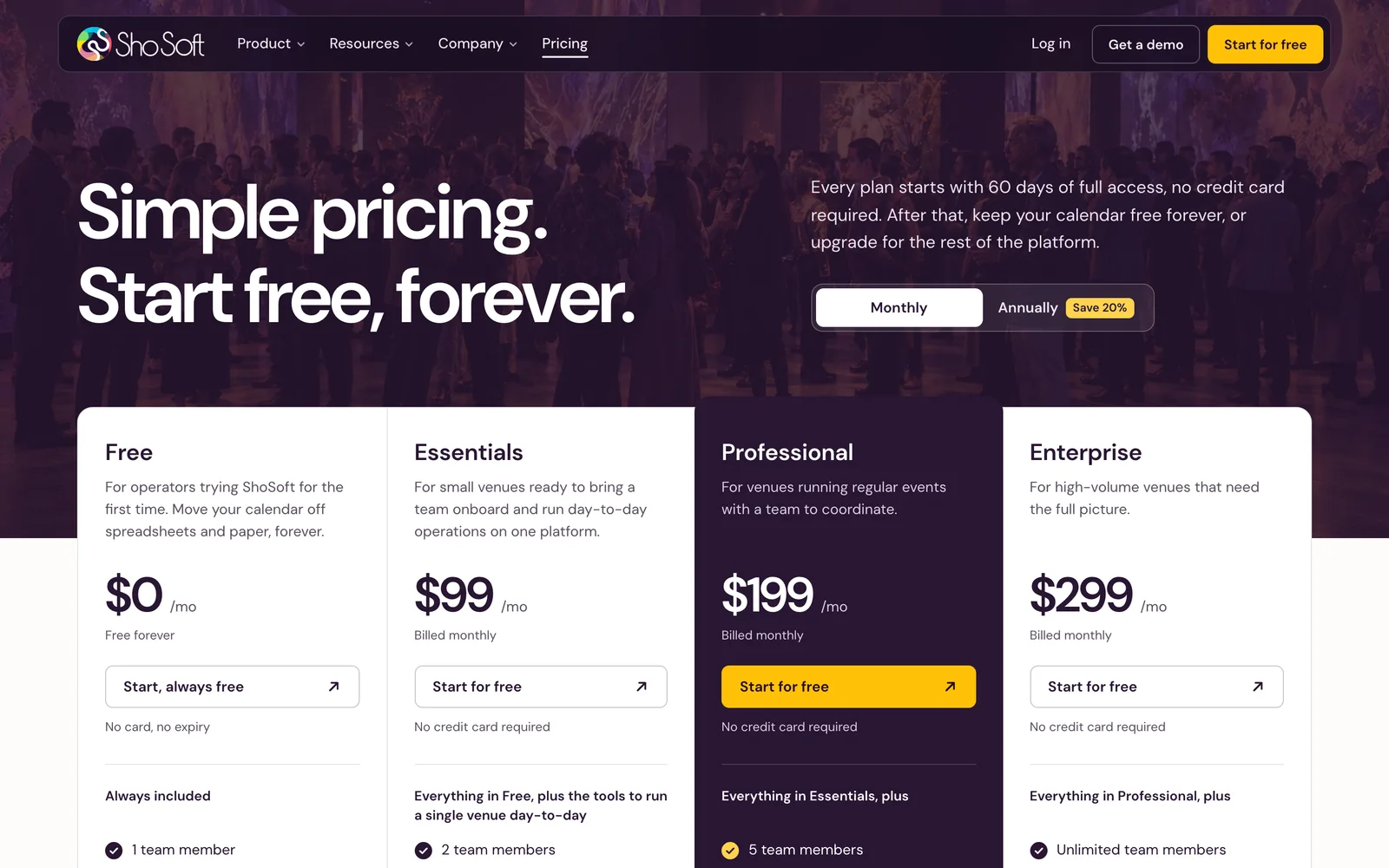
Around the homepage I built eight product pages, resource pages and a new pricing page on one kit, plus free calculators where Sho, ShoSoft's assistant, walks a visitor through the math. The site was later rebuilt in React with all 17 public routes prerendered, and it deploys to Vercel and to a Caddy-served VPS.
06 · Launch and GTM
A launch film, nine tutorials, and go-to-market run like engineering
For the 2.0 launch I produced the launch film and wrote the motion standard every ShoSoft video is checked against, from easing and timing to the components and the library of cuts. The launch creatives come in three aspect ratios and share one grammar with the film.
Everything except the film renders from one Remotion project. For the tutorials I built a pipeline that films the real app and renders nine captioned how-to videos. The rule was never to fake what the build cannot show. When a script outran the build, the video was rewritten or held.
The other half of my role is go-to-market for the COO, and I run it like engineering. Agents do the research runs, with MCP servers such as HubSpot in the loop, and I review the output before anything ships. That produced an answer engine optimization program with an FAQ library, JSON-LD, llms.txt and comparison pages against Momentus, Tripleseat and Cvent, HubSpot enrichment and QC, and a ranking of paid channels.
I ran QA the same way. Agents seeded the staging venue end to end through the API, events, quotes, invoices and tasks, and the result was a 15-bug report ranked by impact with reproduction steps for the engineering team.
- promoted to Founding AI PM
- Month one
- After the AI roadmap and the first demos.
- LLM onboarding and event demos
- 4
- Built in Next.js.
- production files in the onboarding handoff
- 11
- Applies in three commands.
- entry bundle
- 5.35 to 2.48 MB
- Code splitting in the overhaul.
- layout shift
- 0.37 to 0.017
- Size-adjusted fallback font.
- cleanup passes
- 11
- Two days, a 179-page review document.
- tutorial videos
- 9
- Rendered from the real product.
- bugs in the QA report
- 15
- Ranked by impact, with repro steps.
07 · Growth
What ShoSoft changed about how I work
A class before ShoSoft taught me that working code beats working slides, including inside pitches. ShoSoft is where that became my default. Every item on my roadmap arrived as something people could click, not a document they had to imagine.
The harder lesson came in the summer. I was shipping almost everything through agents, and output stopped being my constraint. Speed let me build things before asking whether they mattered. Now I write the goal and the evidence that would prove it before I open a terminal.
Handoff turned out to be the product. A demo nobody can merge is still a demo. A branch with a transfer guide, a checklist and screenshots is a feature someone can ship.
Next on the roadmap is event creation, the second half of the original AI bet, turning a booking request into a drafted event the operator confirms. It gets the same rules as onboarding. Read what the venue already has, fill only what the source supports, and let the person decide.
Archive